Friday, November 27, 2015

We’re Thankful For…


Not many people realize this, but we actually have three librarians who blog for the 5 Minute Librarian. Today, we thought we would introduce ourselves and share three things that we're thankful for in the library world!


Jess B., Teen Librarian

Jess blogs about social media, marketing, technology, helpful librarian tips and tricks, and Teen Librarianship. She started the blog in August 2014 and is incredibly grateful that Kat and Allie (listed below) joined the blogging crew so the 5 Minute Librarian will have fresh content every Friday.  

1. Full Text Reviews on Ingram

    When I started my professional librarian position four years ago, I used to have to share all of the big journals with my colleagues. Sometimes, it took months before those journals would end up on my desk and all the new books would already be out. So, it really rocked my world when I learned that you can inexpensively upgrade Ingram (and Baker & Tayler) so you can get full text reviews from ALL the big journals for each hardcover they sell. Now, every two weeks, I get a pre-made cart where I can preview the five starred reviewed books and easily decide to keep/delete. No waiting for paper journals, no typing in ISBNs, no wondering if I already ordered it. What a HUGE time saver! You also can make carts for all reviewed books (not just 5 stars). I still get the journals in the mail, but now I just read them for the articles. (I explain this in more detail in a previous post.)


2. Library Extension for Chrome 

    This is sooo awesome! If you use Chrome (and a Firefox version is coming soon), you can install the Library Extension. You can get your library added to the list, if it isn't already. Then when you are on Amazon or Goodreads, you can see if your library already has it. I've found it so useful for collection development, especially when I am looking through their top lists. Do I need to order it or do we already have it? Look at the extension (which shows the information on the right or middle of the page) and get the answer.


3. Librarian Facebook Groups

     Last February, I created the big list of Librarian Facebook Groups because I found them to be so useful. It has gone viral many times, so I don't think I am alone in saying -- they're a much needed lifeline! Being the only Teen Librarian in my library, it is wonderful to have a place to go with my teen questions and get such great insight back. And, since we all wear many hats in this profession, I am also grateful for the programming group, and social media, and marketing and... You get the point. Frequently you'll notice, I will write a blog post highlighting a question posted and compiling all of the answers. There has been so much great insight in these groups, I save the best ones and try to write about them here, so the wisdom can be shared and easily found again.


Kat E., Children's Librarian

Kat blogs about marketing, databases, programming, hot library topics, and Children Librarianship.

1. Canva

I know, I know. We sing the praises of Canva all the time. In fact, someone the other day was just asking (on a librarian Facebook group) what program we use for our posters, and I couldn't stop talking about it. Why? Well... In a nutshell:
  • It's online, so I can get to it from anywhere.
  • It's easy to edit, add to, change colors and fonts, and really make things look professional without having to worry about creating everything from scratch.
  • They have a lot of pre-made images that are free and all sorts of "text" design boxes that look professional where you can just add your own words. 
  • I like the pre-made layouts and picture frames - it's just so easy to customize. 
  • I like that it saves things I've done before, so I can not only update designs, but add in a logo that I've already uploaded, or a photo I've used before.


    2. Social Media

    In addition to the specific librarian Facebook groups that Jess discussed above (which I love), I am thankful for social media in general - especially Facebook and Twitter. I am able to keep current with ongoing trends in libraries and get some amazing ideas because I speak with and follow authors, illustrators, publishing houses, public libraries, and other librarians, many of whom I met way back when I was in library school. Just by spending a few minutes a day reading what everyone else is up to, I am constantly coming up with ideas of my own. "Hey, they're doing a stuffed animal sleepover! I haven't done one of those in ages!" "Ooo, there's a new book coming from this author I like! Better put it on my To Be Ordered list now, so I don't forget." "Hey, they have this performer coming to their library? Maybe we can block-book."


    3. Inter-Library Loan

    I'm lucky that my library is part of a consortium of about 150 libraries. If something is checked out at my library or if we don't have it at all, I can usually get a copy within a week, delivered right there with my name on it. It's awesome - and not just for me, but for all the kids who want to watch a specific movie that we do technically own, but has been checked out for like 4 years and it's in the Disney Vault so I don't want to spend $150 replacing it (I'm looking at you, Lion King!).

    Allie C., Head of Teen Services

    Allie posts the monthly "Ready to Go" Book Lists, finding books for the three different age groups that librarians can display or order for their collection.  

    1. Ingram Carts

    Like Jess, I love the full text reviews on Ingram. I know some of my coworkers love the automatic shipments for popular authors. What I love about Ingram is our carts. I got the idea from a coworker and I had our cataloger set up a YA-SAVE cart just for me. We never order this cart but I keep it filled with upcoming book releases, things I'm thinking of ordering and more. Every month I go through the cart and move anything I want to order to my current cart. It really helps keep me organized. I also love that you can easily see on the right hand side if you've ordered a particular book from Ingram before or if it's already in your cart.

    2. Google Drive

    I love that I can work on documents at work, home, or on the go with the Google Drive app. It's easy to share documents and collaborate with others. I also love Google Forms for creating quick staff polls to feedback surveys for my teens. I also use it while working with the YALSA Quick Picks committee. It really helps us stay organized.

    3. My Coworkers

    It is going to sound cheesy but I wouldn't get nearly enough stuff done without my coworkers. I'm thankful for each and every one of them. From our cataloger who works quickly and efficiently to process our newly arrived books to our library assistants manning the desk while I'm running a program, their help and support  allows me improve my ideas and get things done. I would also be remiss in not mentioning my incredibly supportive director who gives me the freedom to plan and try new programs and advocates for the staff, my teens, and our library. 


    And Lastly, We're All Thankful for You, Our Readers. 

    Your comments on our posts (both here and on social media) make the time and effort we put into maintaining this blog so worthwhile. We are far from being librarian experts, but we did learn a few things in our many years of librarianship. It has been fun writing for you, and we look forward to many more years doing so!

    Happy Thanksgiving! If you have anything you're thankful for in the world of libraries, please share below! We'd love to hear from you.

    Friday, November 20, 2015

    Ready-to-Go Book Display: Coloring Books (Great for Gifts too!)

    Welcome to our series, "Ready to Go!" Book Display. Once a month, we'll highlight the latest or greatest for every age group (Adults, Teens and Children) that you can promote within your library or order for your collection. 

    Adult coloring books are hot! If you are looking to start a collection, books for beginning a coloring program or for a great gift idea this holiday season check out these great titles:

    Books I Recommend:

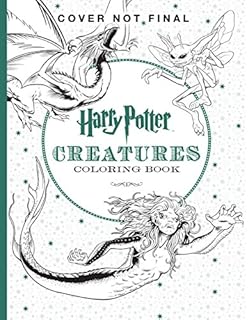
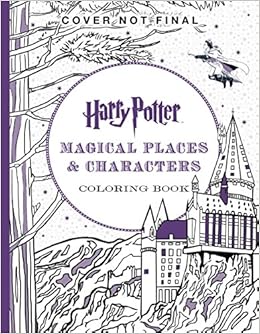
    If you love Harry Potter you need this book in your life.


    Westeros comes to life in this book.


    My coworkers obsessed with Outlander love this book.


    Elsa and Anna are waiting for you!


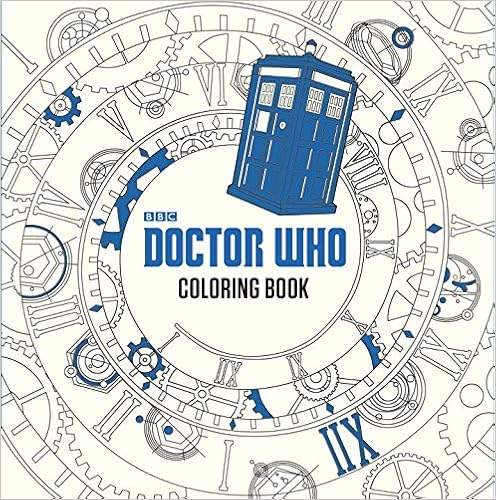
    Just in time for the new movie.


    Your favorite princesses are here.


    Get into the holiday spirit with these designs.


    I love the use of color in the this book.


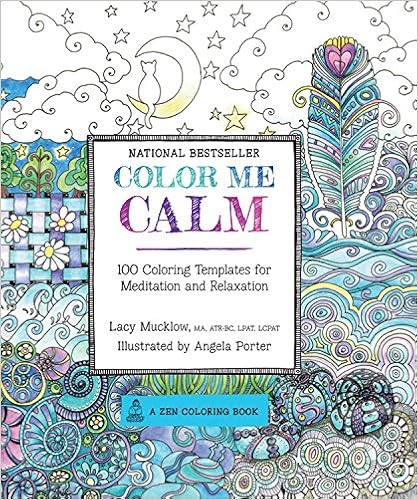
    Color Me Calm by Lacy Mucklow
    What could be more calming than coloring a waterfall or sunset?


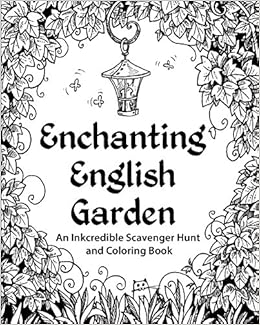
    A coloring book and a scavenger hunt together.


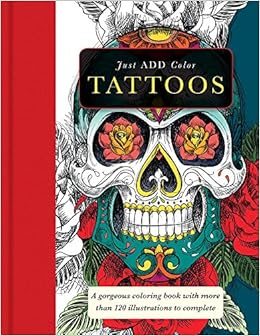
    Love these designs based on tattoo art.

    Books Coming Out Soon:

    Feb 2016


    Jan 2016


     March 2016


    Dec 2015

    Friday, November 13, 2015

    Top Ways to Advertise Library Programs - Part 3

    Welcome to the third installment of the Top Ways to Advertise Library Programs! In Part One, we discussed posters and the best places to use them. In Part Two, we talked about media and social media. Very useful! But this week... we get to talk about the FUN stuff.

    Why try some unusual advertising ideas? Well, the main reason is that the sillier your idea is, the more likely it will get noticed. Also: I'm a strong believer in the philosophy that, if you have fun with what you do at your library, then others will, too.


    Unusual Advertisements

    This is where you can really get creative. Here are some ideas I have used in the past; I'd love to see yours, too!
    • Sidewalk signs - I used to have these amazing sidewalk signs! They were plastic, and you'd draw on them with paint pens, which would wash off with window cleaner (but not just water, so they were safe to use in the rain). I had several of them, in both black and white, and I used to be able to get super creative with them. After all, they had to be read by people driving past, who were busy with driving, listening to music, and all the other distractions of daily life. In addition, our movie license did not allow us to use the name of the movie outside the library. What's a girl to do?
    If that girl is me, she draws somewhat-recognizable characters from the movies in question, and puts them on the sidewalk. (Did you guess Ghostbusters and Wreck It Ralph? A gold star for you!)
    • Window paintings and bulletin boards - large, colorful, and eye-catching designs are best, and also fun to make. I made this bulletin board for our Moomin Party, and we got tons of attention for it. (Mostly, "what's a Moomin?" but that's totally fine by me - let's get a conversation started and I can sell you on it.) In addition, we discovered that the paint markers we used on the lawn signs (above) could also be used with no ill effects on the painted metal doors of the elevators. WIN! I drew R2D2 for our mini Comic Con (GeekCon), and he got us a lot of attention.

    • Chalk drawings - Pull out the bucket of chalk and get to work on the driveway, parking lot, and sidewalks. We did this a lot with the Geek the Library campaign, and I remember it from when I was in college - clubs would have big arrows and drawings on the sidewalks to let people know about meetings. 
    • Wearable ads for programs (or the library in general) - I can't tell you how many times I had someone ask me what "What do you Geek?" meant, when they read it on my t-shirt. Many libraries will make buttons that patrons (especially teens) will wear to support upcoming or ongoing events and clubs. This also works for lanyards (particularly for college kids) and reusable bags. I can't tell you how happy it makes me to see people walking around town with their "I <3 My Library!" tote bag.
    • Wearable ads from programs - Our teen librarian did a program with henna tattoos during the last week of school: "where did you get that?!" turned right into an ad for the library. This also worked for my tween Jewelry Club. "Where did you get that necklace?" "I love your bracelet!" "I made them at the library!"
    • Props and cardboard standees - When we had our first Doctor Who Day, I made a TARDIS out of an old partition, and we borrowed the beautiful David Tennant (sadly, a cardboard version) from a fan of the show. Not only did an amazing number of people walking through the door say, "it's the DOCTOR!," but we had people stop to take their photo with him... and there was a poster he wore around his neck, advertising the party, thus giving them all the information they needed- right in the photo!
    Photo credit to Tina McEvoy, Lawrence Library, Pepperell, MA
    We also had two (long story) Darth Vader standees. One day when I was feeling particularly daring, I crawled out and put one of them on the balcony that overhung the reading room, where he quietly loomed over our patrons. When people noticed him, they might also notice the "MAY THE FOURTH BE WITH YOU" sign advertising our Star Wars party. 

    Side note: I kept Darth in the Children's Room for a while, until one small child turned around to see him right behind her. People don't seem to have an issue with a random Harry Potter hanging around, but a random villain can be scary. Just a heads' up.

    Did we miss anything awesome? Please let us know in the comment
    s here, on our Facebook page, or on Twitter! We would love to hear from you!


    Missed our other posts? Check out:

    Friday, November 6, 2015

    20 Favorite Pics from IG Challenge

    Wow, you all are awesome! The #5minlibchallenge officially ended last Saturday Oct. 31st and we were amazed by the response! As of today, 2,600 images were tagged with the #5minlibchallenge! 238 libraries/librarians from across the professions (public, schools, and academic libraries) as well as all over the US and across the ocean to Ireland and England participated. Wow.

    Dare I admit that I was just hopeful to get a few librarians on board? You all rock! Thank you for getting the word out and participating!

    Who knew you could give librarians 31 days of work and they'd pump their fists and say "I'm in!"

    We were amazed at the creativity and fun pictures that people posted. Make sure to check them out on Instagram and like them. Below are a few of our many, many favorites:


    A photo posted by Glatfelter Memorial Library (@glatfelterlibrary) on


    A photo posted by Norton Public Library (@nortonlibrary) on


    A photo posted by Mrs. Radach (@mmslibraryreads) on


    Thank you to everyone who had participated. If you would like to try the challenge, you can do it any time (it didn't have to be October). Check out our previous post with the instructions and hashtags!

    Friday, October 30, 2015

    Top Ways to Advertise Your Library Programs - Part 2

    Welcome to Part Two of our three-part series about advertising your library programs. In Part One, we talked about posters: where to put them and how to use them. Today, we're going to talk about a different kind of advertising: the wide world of media and the even wider world of social media.

     Media


    Ah, the media: newspapers have been the place people go for information for over a century, and though many papers are now read mostly, if not entirely, online, this doesn't mean that they're gone. Try...
    • Online newspapers - Have you seen patch.com? They are a large online news resource that covers communities across the United States. In addition to posting their own content, users (that is, us!) can submit our own news, press releases, stories, photos, and events to be posted on their website. Take a look! 
    • Community Calendars - Many local papers (town-wide, county-wide, or larger) have a calendar of local events. Make sure you get the contact information for the calendar and you can email over the big attractions as they come up. 
    • News articles - Write up a press release where you justify how your event is The Big Thing in town, and you could get a full story in the paper. Many papers will often print photos, too! How? Well, that's an article in itself, but the best way I've found is to highlight local people: Write about how a local fireman is taking time from his busy schedule to read to children. Write about how the Teen Advisory Board planned this program, for teens and by teens. Write about how the little old lady teaching flower arranging next week has been doing this for fifty years and is sharing her life's work with YOU, the reader, HERE! For FREE! Including photos is also a good way to get attention. Papers will sometimes print a photo with a caption, even when they don't have room for an article. 
    • News interviews - If something really exciting is going on, some local news stations will send a reporter to talk to you about it. I got onto public access news when we got a turtle for the Children's Room. The local station at my last library always sent a film crew for their Live @ Lawrence Library music programs. Photographers will often come for performers or large events, too. Granted, these are published after the fact, but it brings attention to what your library has to offer, and that is never a bad thing.
    • Newsletters - Don't underestimate the power of the written word! My library currently writes a quarterly newsletter that highlights events for all age groups and includes calendars of events, articles written by staff, and book recommendations. These can be brought to local businesses and to town events (see Part One for ideas of where to leave fliers and newsletters!) and be offered at or near your circulation desk for patrons to take.
    • Event Calendars - In addition to our online event calendars, I've found it's also incredibly helpful to have monthly event calendars available for patrons to take with them. In the Children's Department (which is my domain), we design them so that one side is a monthly calendar with events listed on each day, and the reverse has a brief description of what each program is. Despite the fact that everyone seems to be online these days, I start getting requests weeks before the new month has started. I've even had families who have told me that they wait until they get the new calendar before planning family events. (I can't tell you how good that feels!)


    Social Media

    • The Basics: Facebook, Twitter, Instagram, etc. - Sharing information on your own page is good (especially with pictures!), but it's an even better idea to make sure you follow local groups, schools, clubs, etc. online, and send them your information. If you ask nicely, they may share it! This works especially well if they have a presence on Twitter, where you can talk as much as you like (as opposed to Facebook, where you don't want to post too often, lest you overwhelm the reader). Be sure to check your favorite social media outlets for local parent groups, Boys and Girls Clubs, and the like.
    • Online Newsletters - There are several ways to send out online newsletters, including MailChimp and Constant Contact. I am not an expert in these fields, but that's okay, because companies that work with mass mailings are experts, and they make things as easy as possible for the librarian-on-the-go. One of the many perks to using a program to mass-mail is the ability to link online. If you write book reviews, you can link the book right to your catalog so that interested parties can immediately put the book on hold (no lost little slips of paper!). Instead of asking patrons to log on and "like" you on social media, you can link right there and they can do it right away! Another upside is the meta-data. How many times is the email opened? Which links are clicked on most often? They will tell you. From this information, you can extrapolate from your patron-base what it is they really like. Lots of book links clicked? You may want to write more reviews. Lots of clicks on the children's programs? Perhaps that department needs its own newsletter. It's all in the data.
    • Facebook Events - We have talked a lot about the use of Facebook before, and I'm sure we will again, but have we mentioned how much we like the new Facebook Events feature? Rather than posting one photo to say that a program is coming up, try creating an official Event for it. It still pops up on your wall as soon as you post it, but it will also be available under the "Events" tab on your page, and will be listed as an Upcoming Event for people who say they are interested. People can also subscribe to your events, so you're sure that everyone who wants to will see them, instead of relying on whatever the Facebook algorithm says is okay to show.
    • Facebook Ads - I'm all about free, but Facebook Ads give you a huge bang for your buck. For a couple dollars, you can have your information show up as an ad on local people's pages, which will drastically expand your reach. By all accounts I've heard, it is worth the money for your larger events.


    Overall

    In closing: don't underestimate the power of the media. Expand your presence in print and online, and watch your program attendance grow! Last time, we talked about posters and fliers. In Part 3, we will be discussing some of the more unusual ways to promote your programs. (Silliness - my favorite!)

    Did we miss any media angles? Please let us know here or on our Facebook page or Twitter feed.

    Don't Forget to Check Out:

    Part One: Posters, Flyers, and Where to Hang Them
    Part Three: Unique Advertising Ideas 

    Friday, October 23, 2015

    So You Want to Be a Teen Librarian


    A friend of mine left our library this week to run her own youth service department. I am so happy for her and have no doubt that she'll do great. She asked me if I had any tips for being a teen librarian and I've been making a list all week. I thought I'd share with everyone what I've learned from my four+ years on the job.

    Unfortunately (or maybe fortunately!), it takes longer than 5 minutes to read. This first post is focused on Collection Development. I highly recommend every teen librarian starts there.

    1. Weed First

    Once you start programming, it is really hard to stop. Before you jump down that rabbit hole, use your first month to take a hard look at the collection you inherited. Run reports to see what is popular with your current teens and weed the old books that aren't circulating. Your circulation numbers will dramatically improve when you drop the dead weight. It is a win right out of the gate!

    2. Schedule Reoccuring OPAC Lists

    If you can, make reoccuring lists of items that circulate well, ones that aren't, and those that are missing/lost/billed. Your OPAC (the program your library uses to keep track of circulations) should have an option to continuously run the list after X many days, so you'll be easily updated without any work on your end. (Just make sure you check out that list when it arrives in the inbox!) I have to weed my collection at least twice a year. Depending on how big your budget is and how much space you have, you'll need to do more or less. Whatever you do, DON'T weed right before your busiest times (for us, that is two months before Summer Reading... And all summer). I, uh, learned that the hard way.

    3. Keep an Eye on Missing/Billed

    Don't forget about your missing and billed items. The general rule in our library is to give missing items six months to return, but you might decide having a second copy sooner isn't a bad idea. If you think you'll get a lot of circulations, it could be worth the money.

    4. Harness the Power of Popular Reads

    Take the books that circulated well over the past two years and make sure you are very familiar with them. Read them if you can, speedread them if you can't (see next tip below).  Make a list of programming ideas tied to what your teens like. Make book list recommendations off of these popular books so you are prepared for the big requests and can easily talk to your teens about their favorite reads and can quickly make your own recommendations. We have a three part series on how to use NoveList, if you're lucky to have access to that resource!

    5. Learn the Art of Speedreading

    I wish I took the time to learn this because it is impossible to read every book you order and honestly, there are genres I can't convince myself to read. Speedreading isn't reading -- it is getting cozy with a book and paying attention to their reader advisory elements. In a nut shell, it is reading a few chapters, skimming, reading the middle, skimming, and reading the end. Georgine Olson shared great tips on how specifically to do this, highlighting things to pay attention to and different ways to improve your speedreading skills.

    Since you're going through dozens of books a week, you'll want to create some kind of spreadsheet (or use an online program like Goodreads) and take notes. Your future self will thank you, especially when it comes to readers advisory.

    6. Become BFFs with Your Book Vendor

    We wrote a whole post (7 Time Saving Tips for Ordering Books) about the benefits of using book vendors like Ingram and Baker & Taylor. They have cool features like giving full text reviews and will put books into automatic lists for you -- so every two weeks, you'll have a pre-made cart of books that got 5 stars. You can have them waiting for you to go through them -- or you can have them automatically ordered. Huge time saver! No more wasting time typing in ISBNs and wondering if you had already ordered it or decided against it.

    7. Use Great Websites for Collection Development

    Outside of the great journals (and, yes, VOYA is a necessity! With the above tip, you can now just read that journal for the articles and skip all the reviews), you should bookmark these great websites:
    • YA Lit. http://yalit.com/ For all YA Book Release Dates
    • Epic Reads. http://www.epicreads.com/ Great book lists about what's hot and coming out soon.
    • FictFact. http://www.fictfact.com/ Put your popular series into this database and they'll let you know when the new books come out.
    • No Flying No Tights. http://noflyingnotights.com/category/teens/ Keep up with graphic novels and manga
    • Fantastic Fiction. http://www.fantasticfiction.co.uk/ We also wrote a post about this, but it is THE best place to go for author and book information. It clearly states what books the author wrote, when they were published, if it was hardcover/paperback/ebook, when future releases are coming, and what number it is in the series. Unfortunately, they don't cover graphic novels.

    8. Participate in the Discussion

    Don't miss these three great ways to stay on top of new and great reads:

    Email

    • YALSA Book Discussions -- sign up: http://lists.ala.org/wws/info/yalsa-bk
    • Graphic Novel for Libraries -- http://groups.yahoo.com/group/gn4lib/

    Twitter

    • The 2nd Sunday of the month (8-9pm CST), join other teen librarians to talk about YA Lit. Use the hashtag #readYAlit. You can find archived conversations on wikispaces: http://yalovechat.wikispaces.com/

    9. Books for Browsing or School Required Reading

    If your library is part of a consortium (or multiple library network), you're probably required to have the first copy of all your books as holdable. What this means is that anyone in your library system can request your library's book. It is a great service to those who know how to use your system. Unfortunately, it doesn't work so well if your teens like to browse and don't feel comfortable asking for help if they don't see it on the shelf.

    What many librarians don't know is that you may NOT have to make second copies holdable in your consortium. If you want to make sure a book is available for browsing, buy a second copy and  make it unholdable. This is especially useful if your school required summer reading list is a popular book (<<cough>>Fault in Our Stars<<cough>>).

    10. Keep Looking Forward

    Don't get overwhelmed by how large your collection is. Since teens are constantly growing into and out of your age group, many of these books will be weeded off your shelves in no time. (I can't tell you how many times I think I just ordered that book to realize it was a few years ago.) Get to know your popular reads and similar books for making recommendations. Spend the rest of your time focusing on new books. In no time, you'll be an expert of what's on your shelves. (For a list of ways to get ARCs -- Advanced Reader Copies of books yet to be published -- check out our awesome post.)

    Best of luck to all of you starting out!

    Friday, October 16, 2015

    Ready to Go Display: Social Media Fiction

    Welcome to our series, "Ready to Go!" Book Display. Once a month, we'll highlight the latest or greatest for every age group (Adults, Teens and Children) that you can promote within your library or order for your collection. 

    In honor of our Instagram Challenge this month I've put together a list of fiction titles that relate to social media.


    Recommendations for
    Adults:

    
    In a time when everyone is obsessed with and defined by their online personas, this clever and sharp novel by Nikesh Shukla dares readers to question who they actually are when they're not on Facebook but rather face to face.
    Suffering humiliating setbacks for her overuse of social media, a Manhattan lawyer resolves to live life without her smartphone and makes a haphazard transition to relationships not dominated by tweets, texts and posts.
    

    What would you do if you could literally rewrite your fate - on Facebook?


    Recommendations for Teens:

    In this suspenseful thriller, teenagers in a small town are drawn deeper into a social networking site that promises to grant their every need... regardless of the consequences.

    When a humiliating accident at school is captured on video and posted on the Internet, clumsy Mackenzie is turned into an overnight internet sensation, and is sucked into the world of rock stars, paparazzi, and worldwide popularity.

    When thirteen-year-old Truly is invited to sit at the Popular Table, she finds herself caught in a web of lies and misunderstandings, made inescapable by the hyperconnected world of social media.

    When pictures of Lucy kissing her best friend's boyfriend emerge on the world of social media, she becomes a social pariah after the scandal rocks the school.

     
     Recommendations for Children:
    When a girl claiming to be a former classmate reconnects with her via her favorite social networking site, Bridget decides to use some online tricks and a new app to investigate if she's telling the truth.

    Media Meltdown: A Graphic Guide Adventure by Liam O'Donnell and Mike Deas (Oct 2009)
    Pema, Jagroop, and Bounce discover media-making tools such as script writing on the internet and produce a movie to get the news out when the corrupt developers who try to force Jagroop's father to sell the family farm also influence what is broadcast on the local news.