Friday, January 16, 2015

Ready to Go Book Display: Knitting

Welcome to our series, "Ready to Go!" Book Display. Once a month, we'll highlight the latest or greatest for every age group (Adults, Teens and Children) that you can promote within your library or order for your collection. 

My library is starting a new monthly knitting group for adults and the patrons are really excited. With that in mind, I've been inspired to share new knitting titles this month.

Recommendations for Adults:

Kristen Tendyke will teach you how to knit the perfect sweater - no assembly required.


More Monster Knit for Little Monsters by Nuriya Khegay (Jan 2015)
A follow-up to Monster Knits for Little Monsters, get ready for another adorable collection of 20 animal-themed hat and mitten sets for babies and toddlers.
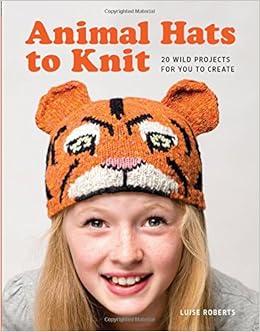
 Animal Hats to Knit by Luise Roberts (Jan 2015)
Adults and children alike with love this collection of adorable knitted hats, including a funky fox, huggable bear, and an elegant grasshopper.
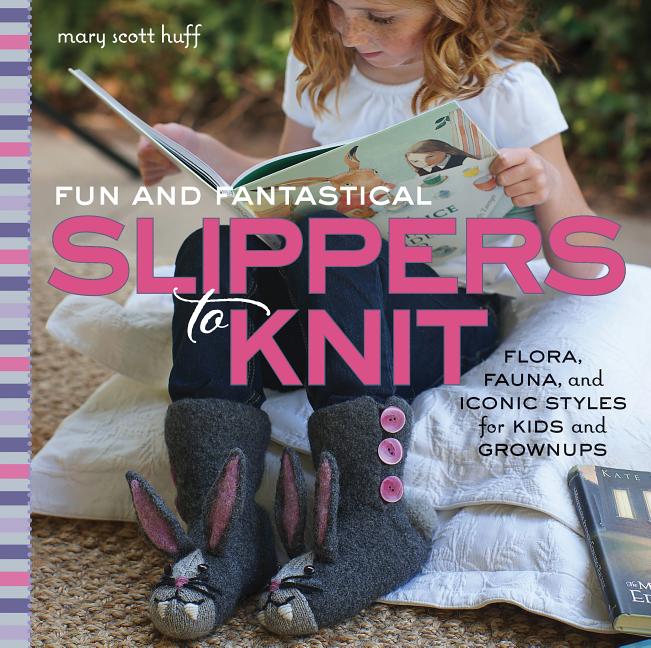
Fun and Fantastical Slippers to Knit by Mary Scott Huff (Dec 2014)
Add a little fun to indoor footwear.
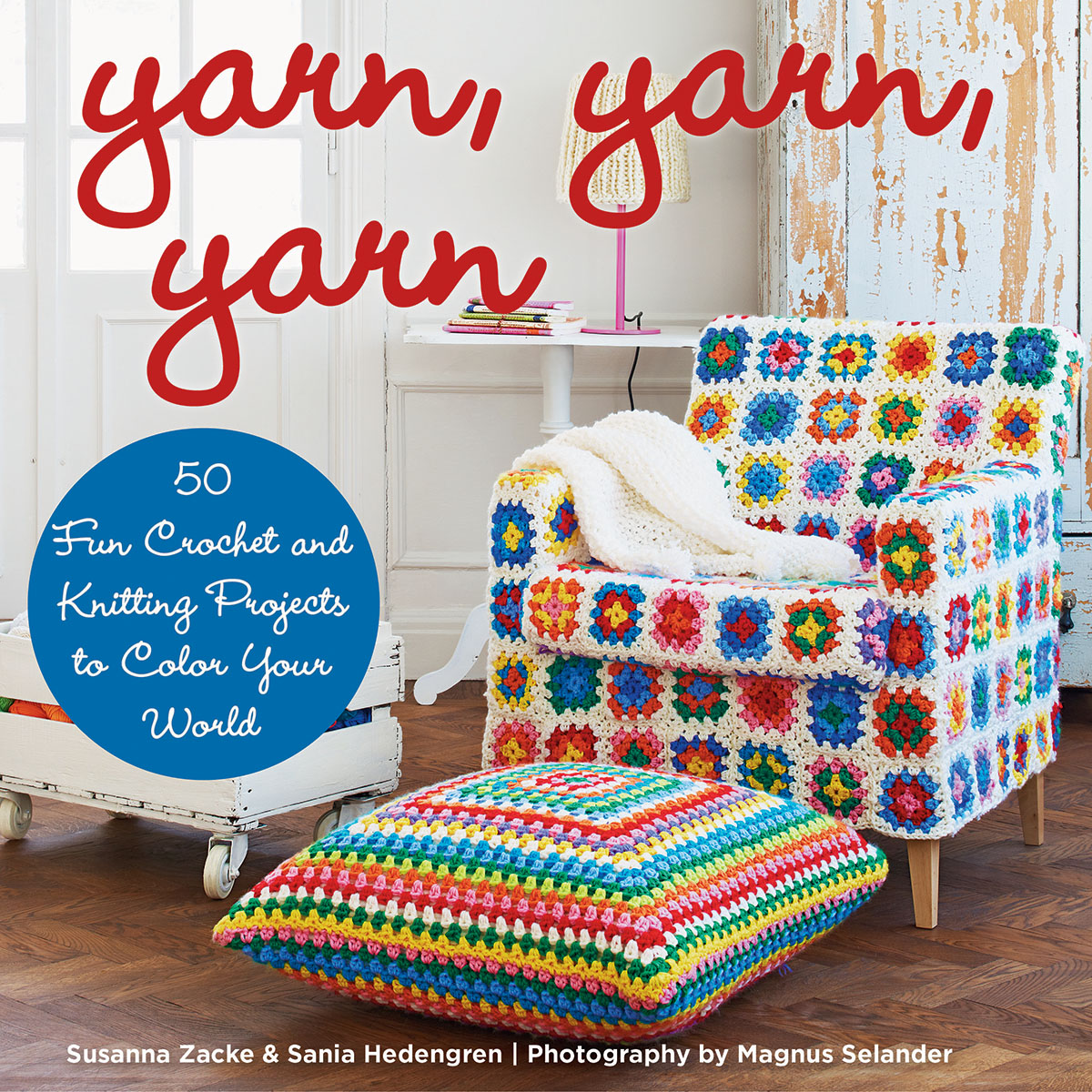
Yarn, Yarn, Yarn: 50 Fun Crochet and Knitting Projects to Color Your World by Susanna Zacke and Sania Hedengren (Nov 2014)
Follow interior decorators Susanne and Sania as they redesign their world with vivid colors and playful patterns.
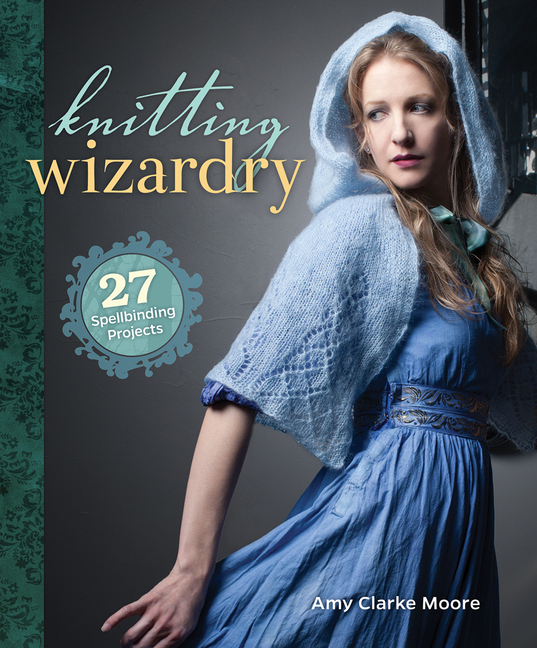
Knitting Wizardry: 27 Spellbinding Projects by Amy Clarke Moore (Aug 2014)
An enchanted knitting collection that will take readers deep into the realm of wizards, witches, and magical creatures.
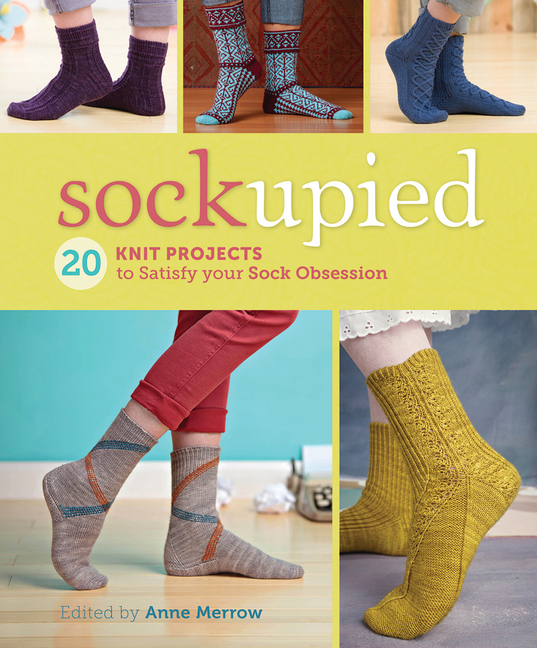
Sockupied: 20 Knit Projects to Satisfy Your Sock Obsession by Anne Merrow (Aug 2014)
A collection of 20 sock patterns for the first time in book form from the eMag Sockupied.
Recommendations for Teens:

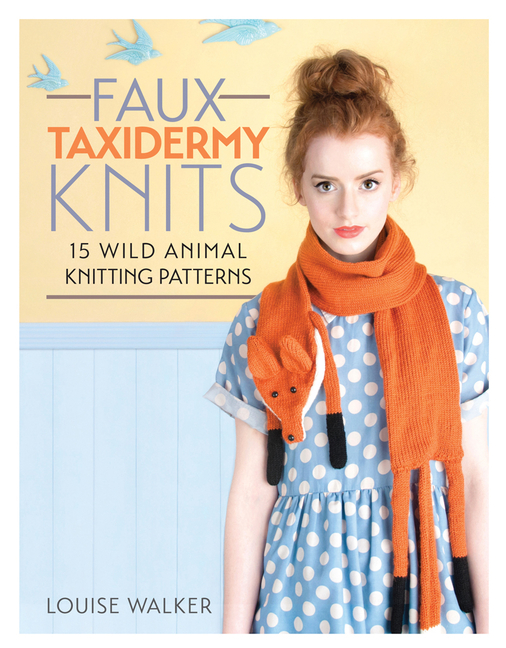
Faux Taxidermy Knits: 15 Wild Animal Knitting Patterns by Louise Walker (Oct 2014)
Tap into the trend for taxidermy inspired craft projects in knitting form.
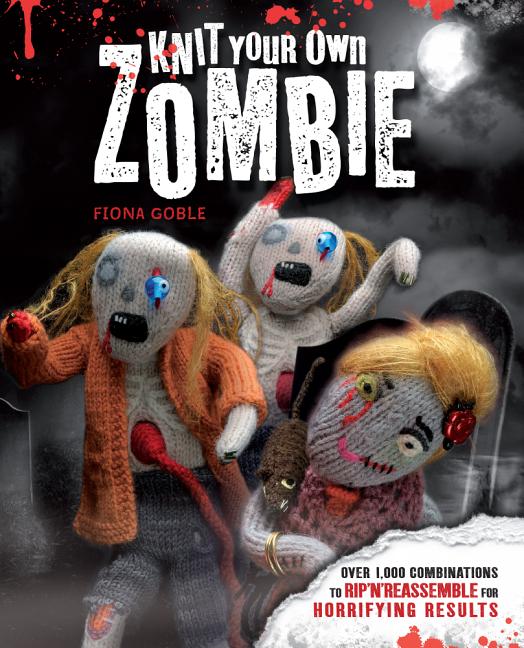
Knit Your Own Zombie by Fiona Goble (Dec 2012)
From your traditional living-dead moaners to the hard-partying Zombie Rock Star and deliciously evil Zombie Chef, each one of these creatures is easy to knit and hard to kill.
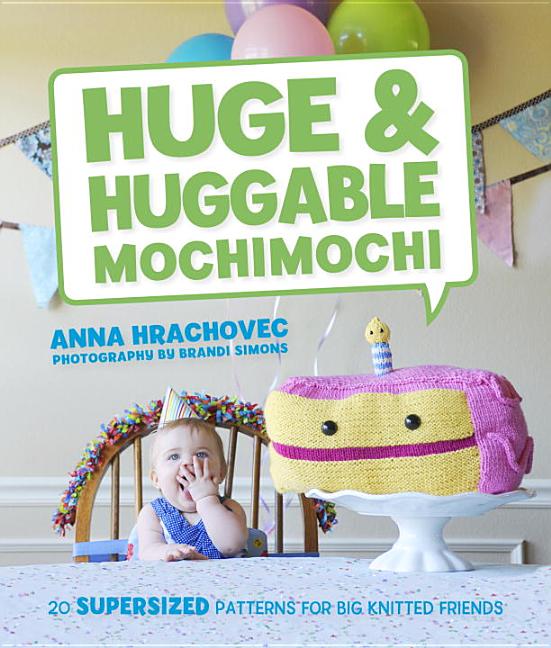
Huge & Huggable Mochimochi by Anna Hrachovec (Oct 2013)
20 large-scale knitting projects from a massive monster truck to a pirate pillow pal.
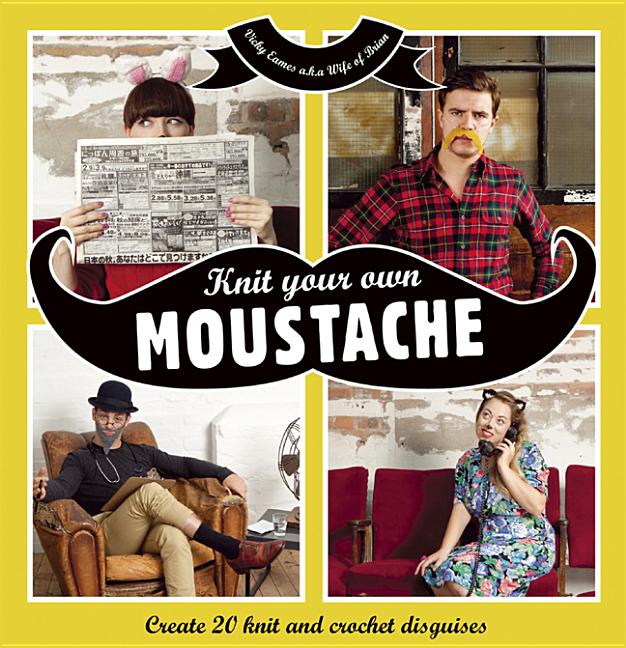
Knit Your Own Moustache by Vicky Eames (June 2013)
Become a punk, a Victorian gent, a gnome, or even a pirate - all it takes is one of these 20 knitted disguises.
Recommendations for Children:

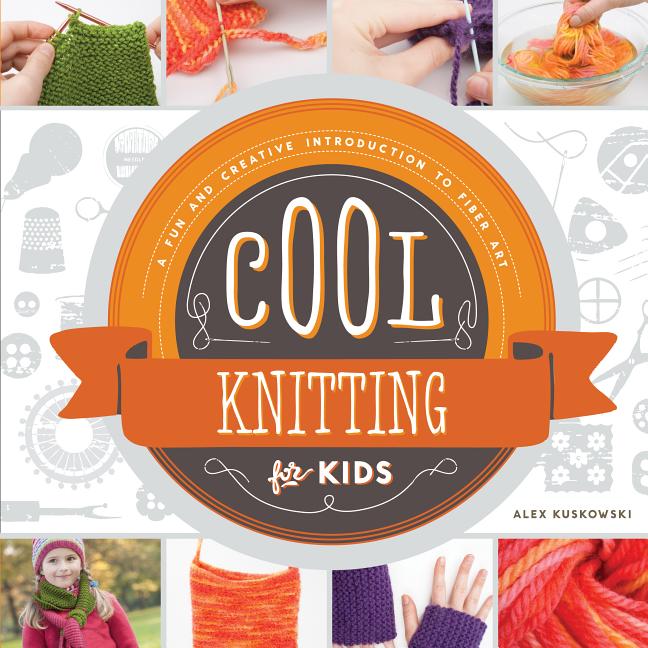
Cool Knitting for Kids by Alex Kuskowski (Sept 2014)
Part of the Cool Fiber Art series, this book provides step-by-step, illustrated instructions for knitting projects including mitts, scarf, and bag.

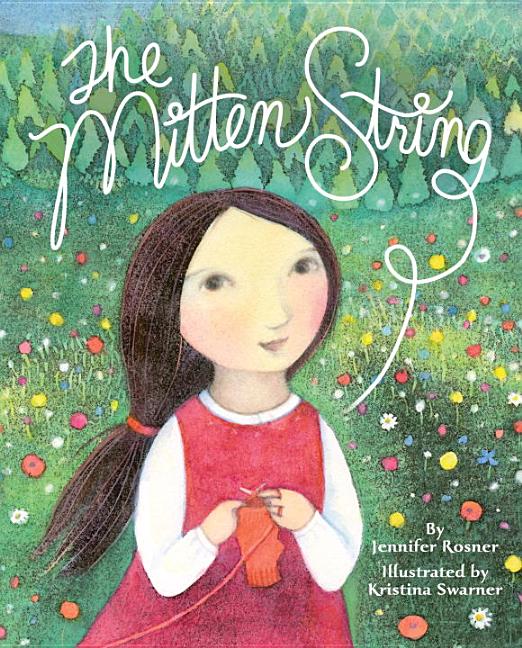
The Mitten String by Jennifer Rosner and Kristina Swarner (Oct 2014)
Ruthie Tober's family is known for the beautiful, warm mittens they knit so when she and her mother meet a deaf woman and her baby and give them shelter,, Ruthie decides to design very special mittens for them.

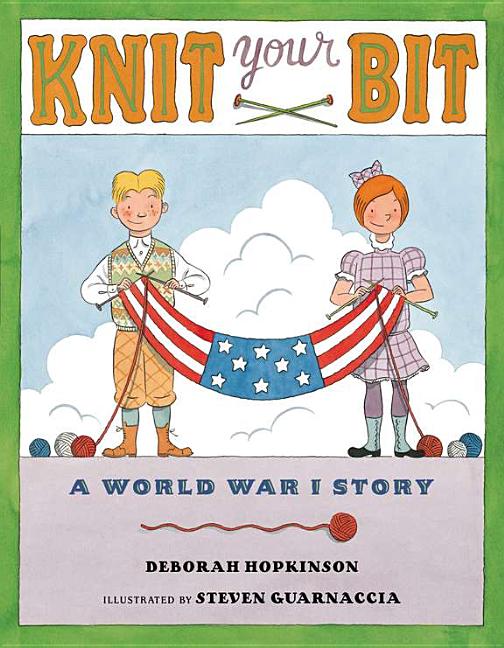
Knit Your Bit: A World War I Story by Deborah Hopkinson (Feb 2013)
Mikey's dad has left home to fight overseas during World War I, and Mikey wants to do something BIG to help.

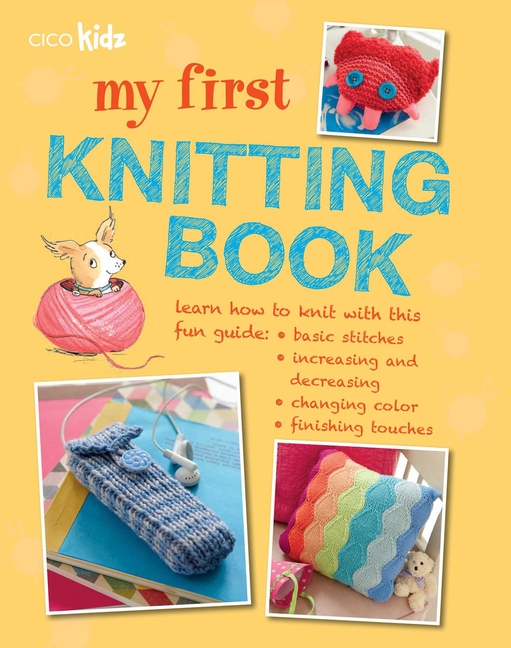
My First Knitting Book by Claire Montgomerie (July 2013)
Teaches children ages 7+ how to knit different stitches and patterns.

Friday, January 9, 2015

10 Facebook Tips Patrons Wish Their Libraries Knew

Every library knows it should be on social media. After all, that is where patrons are. But what they don't know could actually be hurting them. Thankfully, you have the 5 Minute Librarian here to tell you the ins and outs.

1. Post Often or Not At All

A Facebook page is not a Facebook Person Account. Your followers are not going to see all of your posts. If you're not posting often, they're very likely not seeing many of them. All of that work, for nothing... Might as well just close your account.

2. But Not Too Often

Of course, if you post too often, people will stop following you. One rule of thumb that I keep hearing about for libraries is to post twice a day. A serious library post in the morning and a fun post in the evening. In a future blog post, we’ll talk about scheduling posts, the pros and cons and 3rd party applications that can make your life easier.

3. Don't Be So Self Focused

Everyone in social media will tell you that you blog 1/3 of the time on your content and 2/3s you share outside content. This is actually a good thing. If you are posting twice a day, you will have to post about more than your library. Thankfully for you, there is much at your disposal. You can repost from local businesses, newspapers, schools, communities, and your city/town. You can share information about books and movies based on books. You can connect to current events with your collection... Stay tuned for a future blog post about how to easily find things to share and boost your post numbers.

4. Pictures are Worth a Thousand Words

Always include a visual with your posts. Studies show that it greatly increases the amount of people who click on your content. As we mentioned in a previous post, you can go to Library Market and sign up for access to a Dropbox Folder of Library content you can publish. And you can easily create your own using Canva.

5.  You Live and Die by Clicks and Likes!

Do what you have to do to get interactions from your followers. The bottom line is - the more people who interact with your post, the more Facebook will share it onto other people's feeds. This is a good thing! Even click bait is a worthy technique (i.e. click here to learn...), if your patrons like to click on the links and they're being redirected to worthy content. NOTE: We just started a new Facebook Group called The Shareable Clique for libraries to share their successful posts. Join the group to find new content to reshare on your own library page and to post about your triumphs!

6. Don't Kiss and Tell

You don't need to post EVERYTHING on Facebook. Yes, your library may offer a lot of programs, but you can skip the ones which aren't of high interest. Remember - if you post things that people aren't interacting with, it hurts your future reach.

7. Pay Attention to Your Facebook Insights

So, what are people interacting with? Well, Facebook has an insight page that shares exactly this information. Check it out frequently. Try new things and see what resonates with your followers. Then imitate. If you need a list of ideas of things you can try, check out Boom Social's 17 Killer Facebook Posts for Small Businesses.

8. Seriously, You Have Time for Facebook Insights

I cannot stress enough how important it is to pay attention to what your readers are responding to. Here is a gold mine of what they like, what information they want, and what time they're able to read it -- why not tap into it and get the most bang for your efforts? The more readers who see your content, the more they'll know about your library and the more they'll care about you, too. We're working on a future blog post that will talk about different ways people have succeeded on Facebook that you can try out.

9. Tell Followers They Can Be Notified of ALL Your Posts

If your patrons do not want to miss a post from the library, tell them that they can sign up for notifications for every post. They just need to go to your page and click on the arrow on the "Liked" box and then check off notifications. Advertise this fact often!

10. Try a Facebook Ad 

It is actually very successful for some libraries. It isn't that expensive and it actually reaches your nonusers in a way that no other library advertising can -- right in their homes.

BONUS Tip: Be Kind To Other Libraries

One thing that many librarians do is follow other libraries. If you're doing this, please interact with their pages. Just lurking will actually hurt their outreach numbers.

Interested in Facebook? Check out our other blog posts!

8 Free Ways to Boost Your Library's Facebook Reach

15 Viral Content Ideas for Your Library's FB Page! (Part 1)

Friday, January 2, 2015

9 Ways to Place Library eBooks into the Hands of Readers

How do you advertise your eBook collection? Check out the ways other libraries are doing it!:

OverDrive wrote a great post about Sacramento Public Library's eBook advertisements. They created stickers for their books, announcing it is also available in eBook format.


They also made shelf talkers with QR Codes on the back to alert patrons. They even provided examples any library can copy and modify.


Overdrive also created their own sticker and shelf talker templates that you can modify to your library's URL.


ACRL's blog highlighted a different kind of eBook shelf marker from Florida International University. This one is laminated and has a call number on the other side, discouraging users from bringing the cards home with them. Might be a GREAT idea for summer reading books?


Or, instead of laminating a shelf marker, you can do what Brisbane Grammar Libraries did and order these plastic holders which are magnetic on top so they sit directly on the shelf:


Barbara Plum also shared a display she made for her school library, printing out pictures of eBook covers inside iPad frames. Very cool and easy to do!


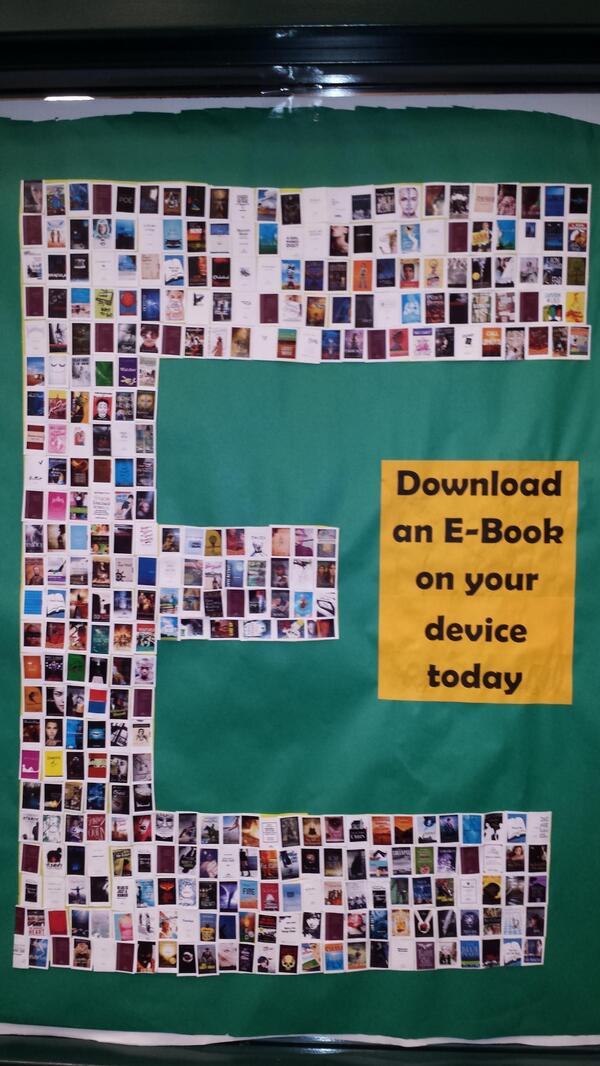
But if you only have a bulletin board, why not put together a display there? Love this one from Clear Falls Library:


And don't forget that you can advertise your eBooks outside of the library. Michael Stephens took this picture at the local airport where Traverse Area District Library advertise their eBooks. I would love to see more of these around trains and bus stations, too.


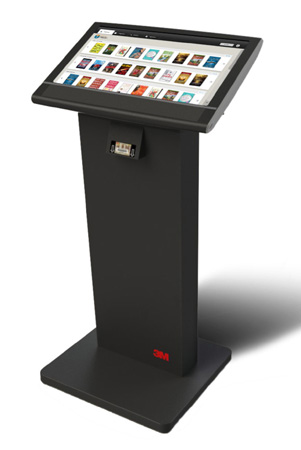
Oletangy Liberty Middle School actually has a kiosk right in their school library, encouraging students to check out the public library's collection of e-content: eBooks, music, audio books, and films. It is a touch screen and students only need a library card and the app to download up to 10 items at a time. This project cost them $1,850 since they already owned all of the content. (Not sure if they used the 3M kiosk pictured below, but I wanted to provide a visual.)


Happy eBook advertising in 5 minutes!

Friday, December 26, 2014

Canva: Make Easy Designs In Little Time

This article has been updated here: http://www.5minlib.com/2017/05/canva-update-2017.html

I am very excited to talk to you today about Canva, a free online program which helps anyone create very awesome designs in very little time. This is a fabulous tool for the designer in your library, the person(s) who does your fliers and social media.
They launched just over a year ago and are quickly becoming the hottest new program for any designer. I've been hearing about it for months, but had been resistant to trying it out because it took a while for me to master Publisher. I had no time or interest in trying to master another program.

But that's the beauty of Canva. It isn't something that you need to master. It is very easy to use and their quick two minute tutorial can send anyone off to use their program successfully.
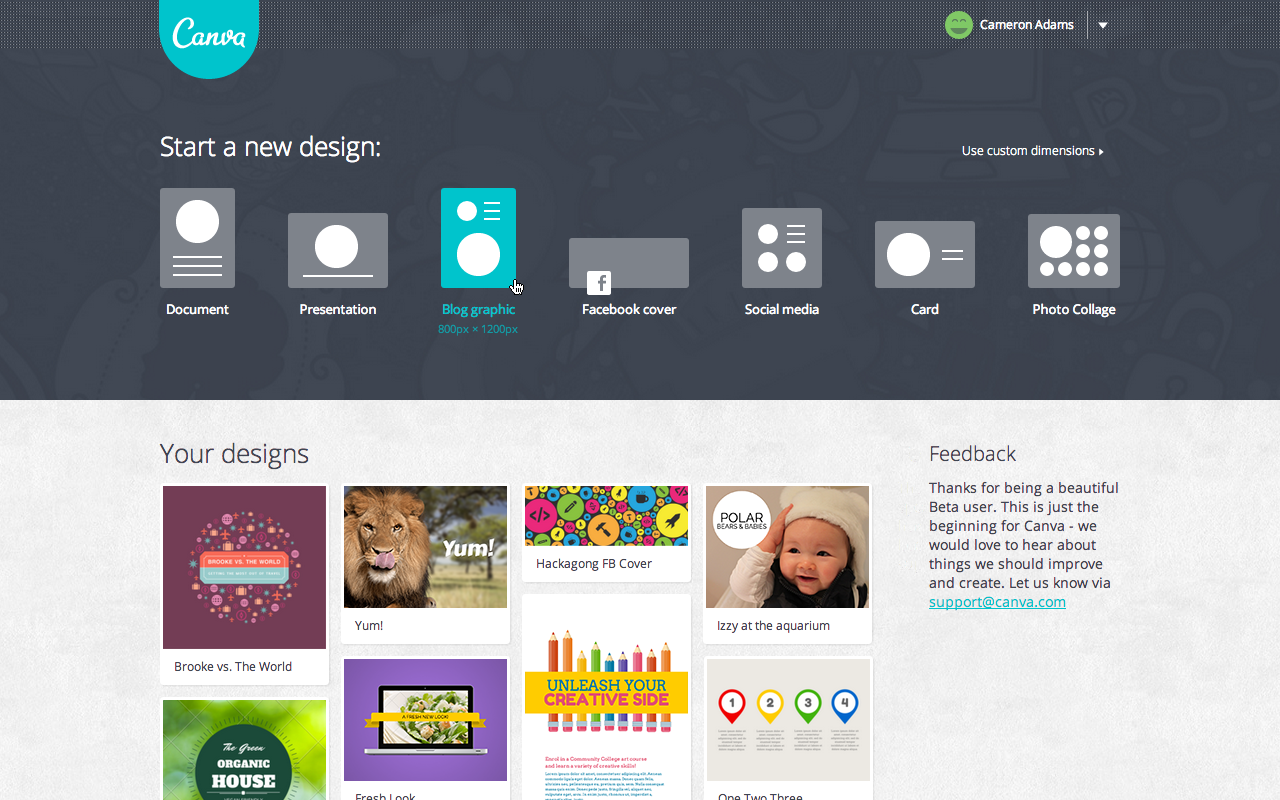
As you can see from the screenshot above, when you log into Canva, the first thing you do is select what kind of design you are making.  So, if you're doing a new Facebook cover, a poster, or a Twitter image, you just click on that design and the dimensions are already preset for you.
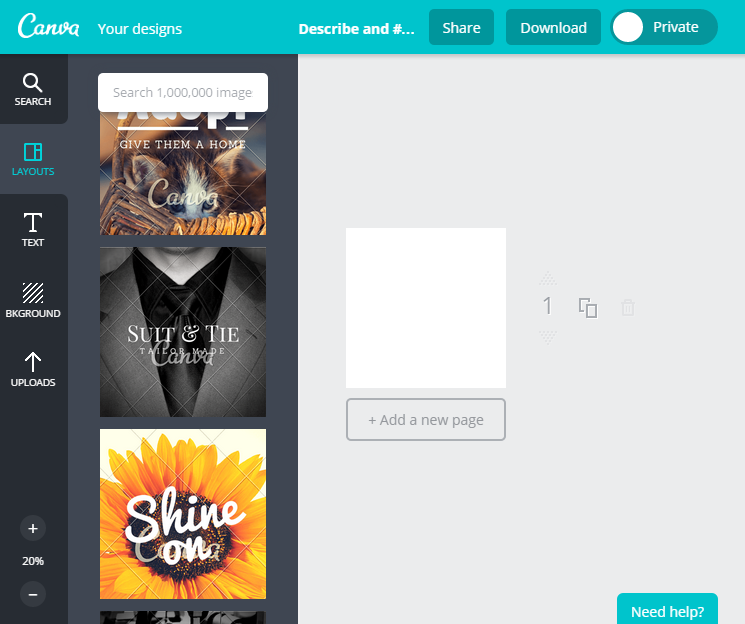
You can start from scratch or you can pick one of the templates that they offer on the left side. It is easy to search through them and adapt them to your needs. They do offer some free images and backgrounds and you may upload any of your own, but they also provide many different images that you can purchase for $1.

The only downside to this program is that they do not offer a generic template for all social media or a way to reuse one design in a different template. So, if your library is on Facebook and Twitter and you want to post the same content, you will need to recreate the second image from scratch. Yes, you can use a Facebook image for your Twitter account, but keep in mind that Facebook's ideal dimensions are different than Twitter's ideal dimensions, so your Facebook design will get cropped awkwardly in Twitter.
For the nondesigners, Canva also offers design school of short tutorials to teach you the basics to make any social media design look professional. And they also stream any images that people make public, which might inspire more designs for you to create for your library.  You can follow us at https://www.canva.com/5minlib.

Happy designing in 5 minutes!

Friday, December 19, 2014

Ready to Go Book Display: Be Healthier

Welcome to our series, "Ready to Go!" Book Display. Once a month, we'll highlight the latest or greatest for every age group (Adults, Teens and Children) that you can promote within your library or order for your collection. 

2015 is on its way! Since many people make New Year's Resolutions to be healthier, how about a display to help your patrons get started? Here are some ideas to check out:

Recommendations for Adults:


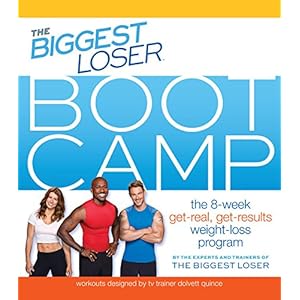
The Biggest Loser Bootcamp by The Biggest Loser (Dec 2014)
Everything from the online Biggest Loser Bootcamp is now in this easy-to-follow 8-week plan packed with diet, fitness, and motivational strategies that work.


The Exercise Factor by Jim Kirwan (Jan 2015)
The eXercise Factor shows you how to ease into the best shape of your life, regardless of your age, weight, or current fitness level.


Christ Walk: A 40-Day Spiritual Fitness Program by Anna Fitch Courie (Jan 2015)
Christ Walk outlines a program for individuals and groups to focus on improving physical health while engaging in spiritual and mental reflection and growth.


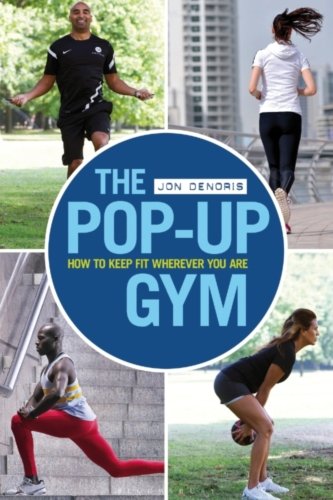
Fitness trainer, Jon Denoris, created a series of exercises and routines, most of which can be carried out almost anywhere: in the home, at work or outdoors. Hardly any of them require any  equipment.


The Best Diet for You! by Caroline Jones (Jan 2015)
30 of the most popular and talked-about diet plans are examined with information on its general philosophy, what it promises, how it works, and who it's best for.


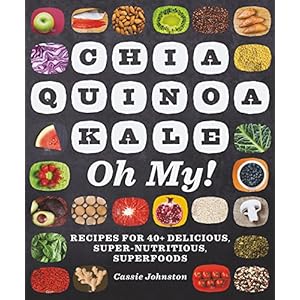
Chia, Quinoa, Kale, Oh My! by Cassie Johnston (Jan 2015)
Wide-ranging cookbook featuring 30 superfoods and more than 100 recipes.

Recommendations for Teens:


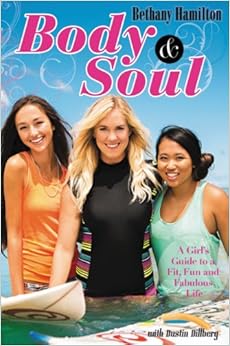
Body & Soul by Bethany Hamilton (May 2014)
Professional athlete Bethany Hamilton shares her healthy lifestyle through physical and spiritual balance.


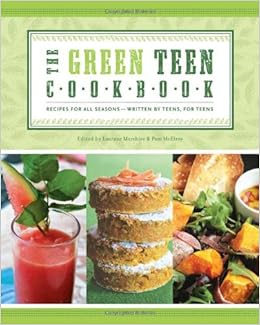
The Green Teen Cookbook by Laurane Marchive (July 2014)
Teens learn how to shop smarter, cook more consciously, and eat a healthier diet with over 70 recipes.


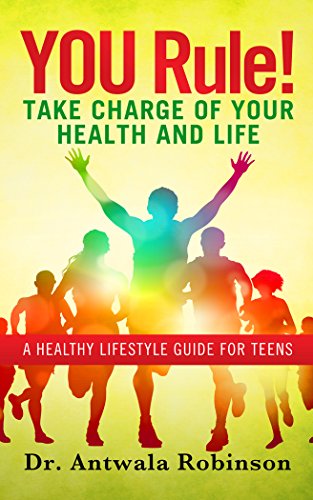
YOU Rule! Take Charge of Your Health and Life by Dr. Antwala Robinson (Aug 2014)
Using real stories, 19 years of nursing experience, research, and knowledge, Antwala shows teens quick and practical solutions on how to live healthy and be successful throughout life.


Recommendations for Children:


Exercise! by Katie Marsico (Jan 2015)
Exercise! focuses on physical activity while discussing steps children can take to practice healthy lifestyles.


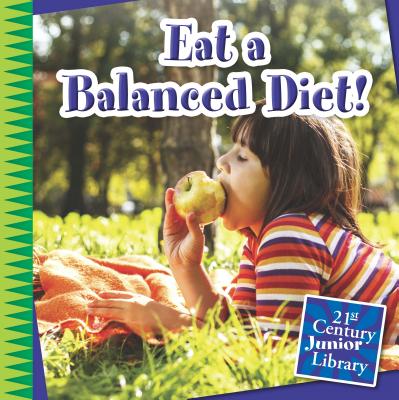
Eat a Balanced Diet! by Katie Marsico (Jan 2015)
Eat a Balanced Diet! focuses on nutrition while discussing steps children can take to practice healthy lifestyles.


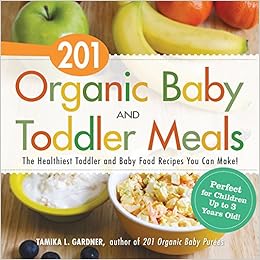
201 Organic Baby and Toddler Meals by Tamika L. Gardner (Dec 2014)
Tasty, wholesome recipes for growing babies and toddlers from 9 months to 3 years old.


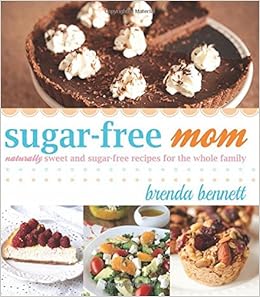
Sugar-Free Mom by Brenda Bennett (Dec 2014)
Popular food blogger Brenda Bennett uses natural sweeteners like honey and coconut sugar to create delicious and wholesome recipes that will satisfy even the pickiest of eaters.

Friday, December 12, 2014

Library Market: Redefining the Digital Presence of Libraries

I am excited to talk about Library Market, founded by current librarians (Ben Bizzle and Joe Box from Library Solutions, LLC and Craighead County Jonesboro Public Library), creating marketing and technology products and services that real libraries need. Their current projects are ones which I hear librarians and patrons asking for -- and three of them is ready for you to implement in your library!

LIBRARY CARD PLUS

See your patrons using a smartphone? This app is for them! It will allow them to link their card to a digital library card and will no longer need to keep a physical one on hand.

ONLINE LIBRARY CARD REGISTRATION

Some patrons will never set foot in a library, but it doesn't mean that they wouldn't use your online materials. This service will allow patrons to register for an online library card to access your databases, ebooks, and other digital content.


WEBSITE DESIGN

Thinking of redesigning your website? They offer website development services to training to support.


SOCIAL MEDIA IMAGES

Currently in development (I will update this post when it is live) and it is inspired from a current project, "The Library Facebook Image Dropbox". They will soon be posting social media images (collected from over 700 libraries) that all libraries can use for their social media networks. If you want to see what is already collected, use the Contact Us form for access to the Dropbox folder that currently holds 1,000+ images. June 22, 2015 UPDATE: You no longer need a Dopbox account! All you need to do is sign-up at Library Market and you can access all of these images directly online. Here's the URL: http://www.librarymarket.com/services/dropbox


I look forward to seeing what else Library Market develops!

Friday, December 5, 2014

ARCs: Advanced Reading Copies

Where do you get Advanced Reading Copies (ARCs)? This is something I've always wondered and I've been learning bits and pieces everywhere, but there seems to be no single place to go for the answer. So, I asked my fellow librarians on ALA: Think Tank to help me come up with a list. If you have any other suggestions, please share in the comments!


Quick ABCs of the ARCs

1) ARCs are available to create buzz for the upcoming book. Please be aware that publishers provide them hoping that you'll talk about it with your patrons and post online reviews.
2) In some cases (like Netgalley and Edelweiss), they have a form that you should fill out for the publisher. You can provide the link to your online review (blog, Twitter, Goodreads, etc.) or you can just write a few quick words to the publisher (I always tell them what I think are the strongest parts of the book and that I'll be sure to recommend this book to the right reader).
3) The more you do this, the more your ARCs requests will be approved. Please note, in many cases, publishers ask for feedback BEFORE the book's published date -- and many will set their e-book to expire on that date.


Digital ARCs

* Netgalley. Publishers post their ARCs, you request the ones you want, and you'll be notified which publishers approve you. I've had a lot of great luck here with receiving the books I've requested.
* Edelweiss. It is a little more complex than Netgalley and they're more particular on who they send copies to, but it works on the same idea.
* Library School Journal's SummerTeen Virtual Conference. It is a virtual YA Literature conference with author talks and publisher tables. You can go around to the different publishers and download a lot of e-books immediately! Even better, they don't limit the copies to a certain number of people and some of these books are not set to expire by a certain date.

Giveaways and Contests

* Goodreads.
* LibraryThing.
* Shelfawareness.
Readitforward.
* Publisher Newsletters. Most publisher newsletters will include offers to send both digital and print copies. Check out EarlyWord for a list of publishers and how to get on their newsletter list.
* List Servs. Occasionally, publishers will advertise on the electronic discussion lists, like the YALSA-BK.

Printed ARCs

* Conferences/Trade Shows.
      - A lot of vendors will offer ARC copies at their tables. The easiest way to spot them is to look for soft covers that clearly state they are an ARC copy on the front or near the title page. They will also have warnings on it like "Not for resale!".
      - However, please note: only take a copy if you are going to provide a review. These are more expensive than a hardcover since publishers print so few of them.
      - You can find the list of ARCs published in the Library Journal and School Library Journal about a week before each each major conference.
      - Bring business cards with you. If a publisher runs out of a particular ARC, they will often be willing to mail a copy to you after the conference (Thanks, Tony Hirt, for the tip!).
* Ask Your Vendors' Representatives. Ingram and Baker & Taylor do send ARCs, if requested.
* Contact Publishers Directly. EarlyWord also lists how to contact publishers (Adult and YA/Children books), though don't forget your local small ones. You can also contact those who participate in the Reader Advisory Webinars.
Local Independent Booksellers. Ask them for their copies of ARCs when they're done. It might be a great way to start a collaboration, especially since ARCs cannot be sold.
* BookExpo America. If you want a lot of ARCs, the annual BEA is the place to go!

ARC Sharing Between Librarians

* YA Lit Google Group. https://groups.google.com/forum/#!forum/yalsa-arc-share
* Goodreads ARC Swaphttp://www.goodreads.com/group/show/46799-arc-swap

Special Thanks

I'd be remiss if I didn't send a special thanks to those in ALA Think Tank that helped me compiled the list: Tegan Jovanka, Kirsten Brodbeck-Kenney, Michelle Wise, Lori Juhlin, Jennifer Hooker, Heather Botelho, Jaqueline Woolcott, Stephanie Anderson, Susie Highley, Jenny Colvin, Tony Hirt, and Kristen Northrup Lindgren. You're all awesome! And, dear readers, if you are on Facebook, I highly recommend stopping by ALA Think Tank.